The network capacity for any of the liquids or gases in the materials database, is closely related to, but not the same as, the absolute permeability of the network. Absolute permeability is probably the most sought-after result for our users. However, an exact calculation of it is impossible, as forcefully pointed out to us by Schlumberger in Cambridge in the very early days of the development of PoreXpert's predecessor Pore-Cor. It is impossible because the void network in a natural material is too complicated to map - it would require trillions of nanometer-thick ablations and successive micrographs of the results to be reconstructed. Then the calculation of the flow through it would require a week or so of a super-computer, but only if none of the flow through it was turbulent - turbulent flow is beyond calculation by current mathematics and physics, but is one of the topics that would probably gain a Fields medal if solved.
So instead of permeability, PoreXpert calculates the flow capacity of its void network using parametrized Navier-Stokes equations. The network itself is an approximation to the void network in the actual porous material, with very simplified geometry. The Navier-Stokes equations, to keep the calculations tractable, assume 'trickle flow' - i.e that the liquid is incompressible, and can flow through with an assembly of parallel flow paths, some even flowing with different velocities through the same pore-throat if that is most efficient in terms of overall flow capacity.
So - once all these approximations have been made, what are we left with ? We calculate network flow capacities that useful show trends within a series of samples, and can be calibrated to match your own sample using our on-line calibration database. When you open PoreXpert, it checks to see if there is a more recent version of that database, otherwise it uses one that it has previously downloaded.
So - please do not follow the temptation of simply ignoring the network capacity results - calibrate them against your own samples, and ideally, send us information so that PoreXpert will carry out that calibration for you automatically.
If you wish to calculate relative permeabilities, then the method to do that (which is indirect) is detailed in the Society of Core Analysts publication by Matthews and Jones, SCA2023-014.
Performing a network capacity (absolute permeability) calculation
To start a calculation, choose a wetting liquid or gas from the list. If what you want to model is not there, then click Go home. Then on the File dropdown menu, Edit available materials.
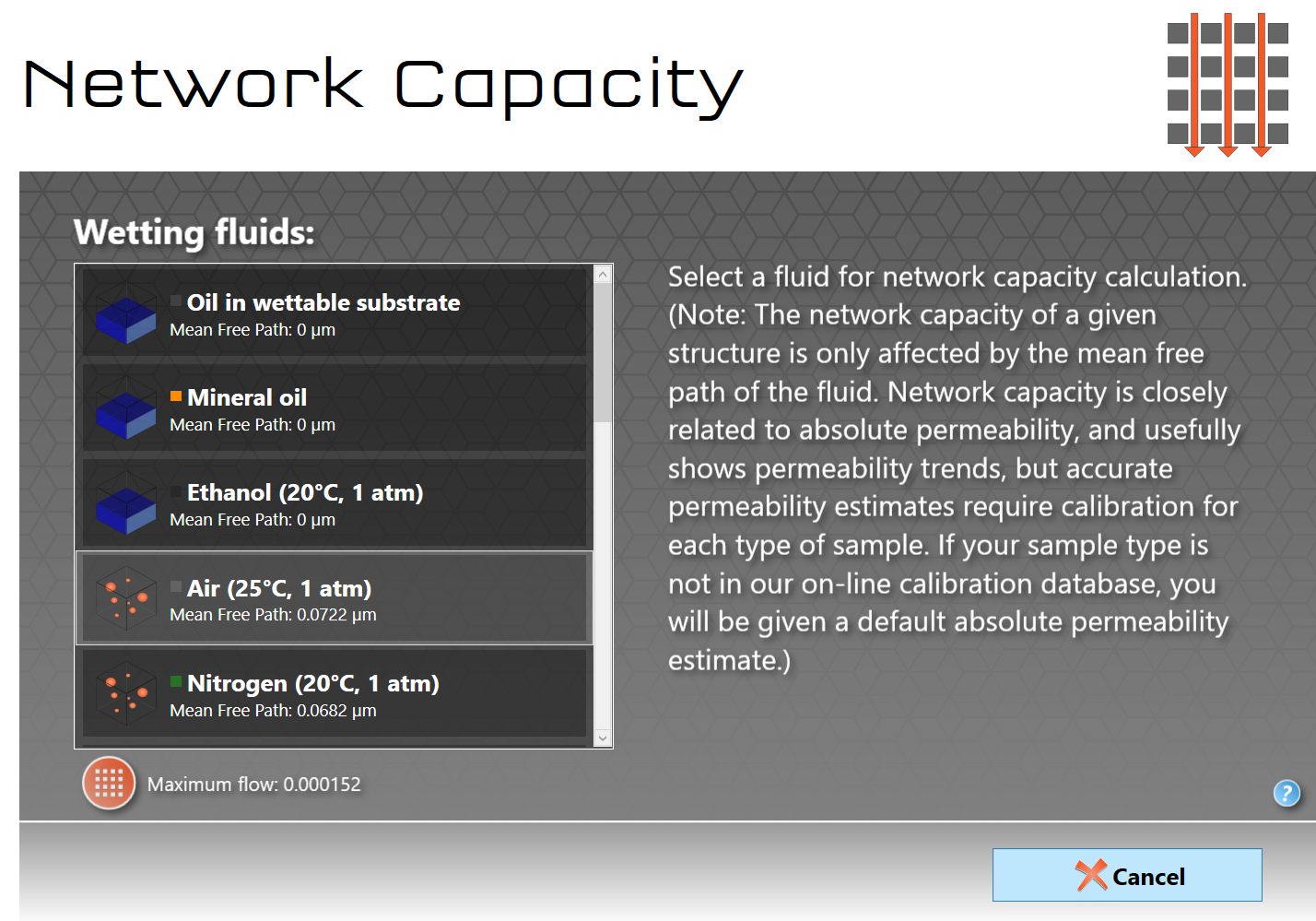
The permeability screen during a calculation
Once calculating, the permeability icon will pulsate. As the algorithm finds more and more trickle flow routes through the network, the Maximum flow will increase. Finally, at the end of the calculation, it will revert to the Home screen, and display the network capacity in the operations list.

The network capacity result
Note that in the result screen shown above, there is a Precise permeability estimate. This is based on the results of the property simulation validation, and the method of calculation is described in the Permeability Calibration section. Currently, precise estimates are only available for air at atmospheric pressure flowing through sandstones, based on the void size and permeability validation. The further a sample deviates from that, the less accurate the estimate. The accuracy categories are, in decreasing order, Very precise, Precise, Moderately precise, Possible, Default and Generic. Unit cells with less than 8000 pores, i.e. smaller than 20x20x20 for a cubic unit cell, are too small for either network capacity or permeability estimates. Note that a precise estimate is not an accurate one - you still need to generate many stochastic generations to gain a reliable value of permeability, as emphasised in the discussion of the permeability validation.
Clicking on the permeability operation in the list will reveal the unit cell. Viewing the unit cell in 3D will display the major routes though the structure. Colouring shows net flow on a linear scale, whereas in fact the flow is often logarithmically distributed through the network. So only the most major flow routes, close to maximum flow, will be highlighted, as shown below.
For complete flow details, save the permeability calculation as an uncompressed PoreXpert file. A screenshot of part of an uncompressed file, showing flow into and out of the pore nearest the Cartesian axes origin (ID = "0"), is shown under calculation speed. The trickle-flow approximation allows separate trickles of flow in the +x, -x, +y, -y and -z directions, but not in the +z direction (i.e. not back towards the fluid reservoir position).

Detail of the unit cell for sandstone sample 5 in the permeability validation exercise. Blue / purple voids indicate net flow in the -x, -y or -z directions. Yellow spectrum voids show net flow in the positive Cartesian directions.
 This operation may take a long time to complete, depending on your hardware capabilities and the unit cell size. The amount of RAM available on your system will also restrict the largest unit cell size that your system can calculate. You will receive a warning if the calculation is beyond the capability of your computer's RAM. To find out how long a permeability calculation takes, run the calculation in Batch mode, save the output in uncompressed .porexpert format, open the output file using e.g. NotePad++, and search for TimeStamp.